← Back to pipelines
Video Generator
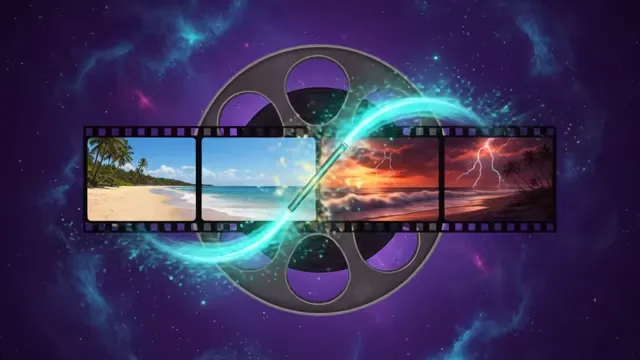
Generate AI videos from a text prompt, image, or reference clip. Cinematic shots, product reveals, lifestyle ads — with synchronized audio and natural motion.
12
Best for
- •Creating short video clips from text descriptions or images
- •Product reveals and scene transitions with real camera movement
- •Cinematic shots that need real motion (not just pan/zoom on a still)
- •Text-to-video with native audio when the Veo engine is selected (Seedance clips are silent — add narration in video-reel)
Tips
- ✓Provide detailed text prompts describing the scene, motion, and desired audio
- ✓Use a start image for consistent framing — the model animates from it
- ✓Works best for product reveals, scene changes, and dramatic transformations
- ✓For simple pan/zoom on stills, image-motion is 10x faster and cheaper
- ✓Native audio is generated alongside the video on the Veo engine — no separate TTS step. Seedance clips are silent; add narration or music in video-reel.
Recipes using this pipeline
AI Video Generator
Generate short videos from a text prompt, image, or reference clip. Cinematic narrative shots, product ads, social-ready vertical content — with synchronized audio, real camera movement, and natural motion.
What you can make
- Text-to-video scenes — describe a moment and get a finished clip with audio
- Image-to-video — start from a reference image and animate it into a cinematic shot
- Product and lifestyle ads — bring a reference video for camera move and a reference audio for the music bed
- Vertical shorts — 9:16 for TikTok, Reels, and Shorts in one call
- Cinematic explainers — golden hour, film noir, anime, watercolor, 35mm film — any style on demand
How it works
- Describe the scene — subject, action, camera, lighting, style
- Optionally attach references — images, a reference video for camera movement, or audio for the soundtrack
- Pick aspect and length — 16:9 or 9:16, 5–11 seconds
- Generate — the right AI engine is picked automatically based on what you uploaded
Prompt tips
- Include camera angles: close-up, aerial, tracking shot, dolly in
- Describe lighting: golden hour, neon glow, film noir shadows, volumetric fog
- Set the style: cinematic, anime, watercolor, 35mm film look
- Mention audio in a separate sentence — "rain pattering on concrete, distant thunder"
- For longer clips with reference video and audio, the multimodal path keeps your soundtrack and camera move in sync
Frequently Asked Questions
How long are generated videos?
5 to 11 seconds per clip. Combine multiple clips into longer sequences with the Video Reel pipeline.
Does it generate audio?
On the Veo engine, yes — audio is synthesized in sync with the video; describe sounds in your prompt for best results, or disable the audio toggle for silent output. Seedance clips are silent; add narration or music in video-reel.
What aspect ratios are supported?
16:9 (landscape) and 9:16 (portrait/vertical). Perfect for YouTube, TikTok, Reels, and Shorts.
Can I use references?
Yes — upload reference images for style or first-frame anchors, a reference video for camera movement and pacing, or reference audio to use as the soundtrack.
How is pricing determined?
Cost is engine-dependent. Veo is flat-tier (5/8s lite, fast, or HD at 1080p). Seedance is metered by token usage — longer clips, higher resolution, and reference video/audio all add tokens. Leaving the engine on Auto reserves the ceiling and reconciles down to actuals when the run completes.
What if I want a specific engine?
You can pin one in Advanced. By default the workflow picks the right engine for what you uploaded — cinematic prompts route one way, multimodal references route another.